

Naturpic Video to MP3 is an example of a program with a misleading name. What would you expect of a program with such a name? I am sure you would answer that it should be able to extract audio from video. Well, it is true, but you would not expect it to convert between audio formats or between video formats, although it does that.
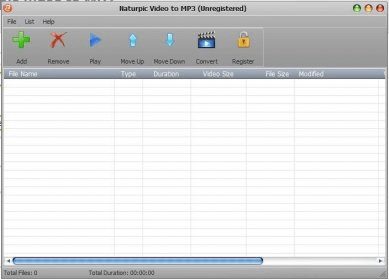
The design of this program’s interface makes it rather unattractive, but still keeps it easy-to-use. The central element is a table-like list to which you can add the elements you want to convert. The list also shows the files’ properties. Some buttons above help you add and remove items, play the selected clip, change the order of the elements and start converting.
When you have created your list, you can press the Convert button. Just after you have done this, you are prompted to configure the output parameters. Selecting an output format is easy because these have been organized into three categories: video formats, audio formats and devices. Lots of different profiles are available on the list. Luckily, you do not need to know what formats are supported by a specific device, because all you need to do is to choose the intended device. Additional options let you configure audio and video quality as well as set the output folder. Unfortunately, since you can select the output format only after you have created your list, all the files will be converted to the same format. This way, in case you need to convert your files to different formats, you should do it in different conversion sessions. more




Comments